S3Express
Copy, query, backup multiple files to S3 using the Windows command line
- Category
- Cloud
- License
- Commercial
- Platforms
- Windows
- Released
- 2014
- Path
-
c:\S3Express\S3Express.exe - Notes
- Adobe ColdFusion 10: 110 seconds. AmazonS3 CLI: 40 seconds; S3Express: 16 seconds!
Version
Latest known: 1.5.13 (2025-01-29)
Latest known: 1.5.13 (2025-01-29)
Examples
1. Upload all JPGs in a folder using 16 threads
s3express.exe put c:\folder\*.jpg mybucket -s -t:16 -optimize2. Upload 27mb file
s3express.exe "loadauth NAME" "put d:\file.zip s3dir/s3subdir/ -t:10 -rr -minoutput -optimize -mul:5 -nomulmd5 -nomd5existcheck -nobucketlisting -move -tofile:d:\filelog.txt" -exit3. One-way-copy+delete files/directories from a local path to a remote S3 server based on MD5 hash. "_gsdata_" directory is exluded. To work with BAT file, a separate TXT file and the "exec" command will need to be used due to brackets in the commandline.
S3Express.exe -ini:OneWaySync.txt.txt -nmS3Express - Help
# S3Express - Help

Source: https://www.s3express.com/

```
-------------------------------------------------------------------------------
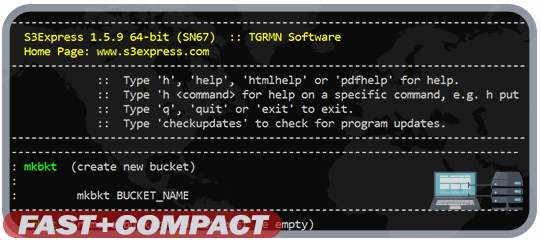
   S3Express 1.5.9 64-bit (SN68)  :: TGRMN Software
   Home Page: www.s3express.com
-------------------------------------------------------------------------------
              ::  Type 'h', 'help', 'htmlhelp' or 'pdfhelp' for help.
              ::  Type 'h <command> for help on a specific command, e.g. h put
              ::  Type 'q', 'quit' or 'exit' to exit.
              ::  Type 'checkupdates' to check for program updates.
-------------------------------------------------------------------------------

  Started : 2026-04-12 15:23:14

S3Express is currently licensed for evaluation only.
Today is day 1 of your 21-day trial.
You can purchase a full license online at www.s3express.com

S3 authorization not set. Save/set S3 authorization using command saveauth.

Communication protocol: https

/>h
-------------------------------------------------------------------------------
   S3Express 1.5.9 64-bit (SN68)  :: TGRMN Software
   Home Page: www.s3express.com
-------------------------------------------------------------------------------
              ::  Type 'h', 'help', 'htmlhelp' or 'pdfhelp' for help.
              ::  Type 'h <command> for help on a specific command, e.g. h put
              ::  Type 'q', 'quit' or 'exit' to exit.
              ::  Type 'checkupdates' to check for program updates.
-------------------------------------------------------------------------------
------------------------------------------------------------------------------
:: mkbkt  (create new bucket)
::
::         mkbkt BUCKET_NAME
------------------------------------------------------------------------------
:: rmbkt  (remove bucket. Bucket must be empty)
::
::         rmbkt BUCKET_NAME
------------------------------------------------------------------------------
:: getbktinfo  (get bucket information)
::
::              getbktinfo BUCKET_NAME [-acl] [-cors] [-lifecycle] [-policy]
::                         [-location] [-logging] [-notification] [-tagging]
::                         [-requestPayment] [-versioning] [-website]
::                         [-all] [-orig]
------------------------------------------------------------------------------
:: ls  (list objects)
::
::      ls [BUCKET_NAME]/[FOLDER]/[OBJECT] [-s] [-d] [-od] [-md5] [-r] [-bytes]
::         [-ext] [-sep:SEP] [-showmeta:META] [-showacl:ACL] [-maxkeys:X]
::         [-cond:"FILTER"] [-sum] [-grp:GROUP]
::         [-inclversions] [-onlyprev] [-showverids]
::         [-include:INCL] [-exclude:EXCL] [-rinclude:INCL] [-rexclude:EXCL]
::         [-inclenc] [-exclenc] [-inclrr] [-exclrr] [-inclia] [-exclia]
::         [-inclgl] [-exclgl] [-inclle] [-exclle]
------------------------------------------------------------------------------
:: cd  (change current S3 working location)
::
::      cd [BUCKET_NAME]/[FOLDER]/
------------------------------------------------------------------------------
:: getmeta  (show metadata associated with an object)
::
::    getmeta BUCKET_NAME/[FOLDER]/OBJECT [-showmeta:META] [-version:ID]
------------------------------------------------------------------------------
:: setmeta  (set metadata associated with an object)
::
::    setmeta [BUCKET_NAME]/[FOLDER]/OBJECT [-s] [-r] [-replace]
::            [-meta:META] [-e:+/-] [-rr:+/-] [-ia:+/-] [-sim] [-cond:"FILTER"]
::            [-include:INCL] [-exclude:EXCL] [-rinclude:INCL] [-rexclude:EXCL]
::            [-inclenc] [-exclenc] [-inclrr] [-exclrr] [-inclia] [-exclia]
::            [-inclgl] [-exclgl] [-inclle] [-exclle]
------------------------------------------------------------------------------
:: getacl  (show object's ACL)
::
::     getacl [BUCKET_NAME]/[FOLDER]/OBJECT [-showacl:ACL] [-xml] [-version:ID]
------------------------------------------------------------------------------
:: setacl  (set object's ACL)
::
::     setacl [BUCKET_NAME]/[FOLDER]/OBJECT [-s] [-r] [-cacl:CANNED_ACL]
::            [-grant-read:"GRANTEE"] [-grant-write:"GRANTEE"]
::            [-grant-full-control:"GRANTEE"] [-grant-read-acp:"GRANTEE"]
::            [-grant-write-acp:"GRANTEE"] [-sim] [-cond:"FILTER"]
::            [-include:INCL] [-exclude:EXCL] [-rinclude:INCL] [-rexclude:EXCL]
::            [-inclenc] [-exclenc] [-inclrr] [-exclrr] [-inclia] [-exclia]
::            [-inclgl] [-exclgl] [-inclle] [-exclle]
------------------------------------------------------------------------------
:: put  (upload files)
::
::       put LOCAL_FILES [BUCKET_NAME]/[FOLDER]/[OBJECT] [-s] [-t:THREADS]
::           [-mul:PARTSIZE] [-maxb:MAXB] [-cacl:CANNED_ACL] [-meta:METADATA]
::           [-mime:MIMETYPE] [-e] [-le] [-rr] [-ia] [-r] [-cond:"FILTER"]
::           [-nomulmd5] [-nomd5existcheck] [-nobucketlisting] [-keep:KEEP]
::           [-onlydiff] [-onlynewer] [-onlynew] [-onlyexisting] [-purge]
::           [-purgeabort:X] [-move] [-localdelete:"COND"]
::           [-include:INCL] [-exclude:EXCL] [-rinclude:INCL] [-rexclude:EXCL]
::           [-showfiles] [-showdelete] [-showlocaldelete] [-showexcl]
::           [-sim] [-noautostatus] [-minoutput] [-stoponerror] [-optimize]
------------------------------------------------------------------------------
:: mkfol  (create S3 folder at current S3 working location)
::
::         mkfol FOLDER
------------------------------------------------------------------------------
:: lsupl  (list in-progress multipart uploads in a bucket/folder)
::
::         lsupl [BUCKET_NAME]/[FOLDER]/ [-s]
------------------------------------------------------------------------------
:: rmupl  (remove/abort in-progress multipart uploads from a bucket)
::
::         rmupl [BUCKET_NAME]/[FOLDER]/ [-id:UPLOADID] [-file:FILE] [-s]
------------------------------------------------------------------------------
:: copy   (copy S3 object)
::
::         copy [BUCKET]/[FOLDER]/FROMOBJECT [BUCKET]/[FOLDER]/TOOBJECT
::              [-cacl:CANNED_ACL] [-meta:METADATA] [-e] [-rr] [-ia]
::              [-keep:KEEP]
------------------------------------------------------------------------------
:: del  (delete objects)
::
::       del [BUCKET_NAME]/[FOLDER]/OBJECT [-s] [-r] [-sim] [-stoponerror]
::           [-cond:"FILTER"] [-include:INCL] [-exclude:EXCL] [-rinclude:INCL]
::           [-rexclude:EXCL] [-inclenc] [-exclenc] [-inclrr] [-exclrr]
::           [-inclia] [-exclia] [-inclgl] [-exclgl] [-inclle] [-exclle]
::           [-noconfirm:X] [-version:ID] [-inclversions] [-onlyprev]
::           [-minoutput]
------------------------------------------------------------------------------
:: restore  (restore objects from Glacier to S3)
::
::           restore [BUCKET_NAME]/[FOLDER]/OBJECT -days:X
::                   [-s] [-r] [-sim] [-stoponerror] [-noconfirm:X]
::                   [-cond:"FILTER"] [-include:INCL] [-exclude:EXCL]
::                   [-rinclude:INCL] [-rexclude:EXCL] [-inclenc] [-exclenc]
::                   [-inclgl] [-exclgl] [-inclle] [-exclle]
::                   [-version:ID] [-inclversions] [-onlyprev]
------------------------------------------------------------------------------
:: saveauth  (save Access Key ID and Secret Access Key)
::
::            saveauth ACCESS_KEY_ID SECRET_ACCESS_KEY [NAME]
------------------------------------------------------------------------------
:: loadauth  (load previously saved Access Key ID and Secret Access Key)
::
::            loadauth [NAME]
------------------------------------------------------------------------------
:: showauth  (show previously saved Access Key ID and Secret Access Key)
::
::            showauth [NAME]
------------------------------------------------------------------------------
:: rmauth    (remove previously saved Access Key ID and Secret Access Key)
::
::            rmauth [NAME]
------------------------------------------------------------------------------
:: setopt  (set options)
::
::          setopt [-retry:X] [-retrywait:X] [-verbosity:X] [-timer:on|off]
::                 [-endpoint:ENDPOINT] [-protocol:PROTOCOL]
::                 [-clientencpwd:PASSWORD] [-clientencpwdhint:HINT]
::                 [-clientencprogram:PROGRAM]
::                 [-proxyserver:SERVER] [-qmaxthreads:X] [-timeout:X]
::                 [-useV4sign:on|off] [-disablecertvalidation:on|off]
::                 [-usepathstyle:on|off] [-reset]
::
::    Use "setopt -reset" to reset all options to default values
::    Use "setopt -reset -OPTION" to reset a specific OPTION to default value
::    Use "showopt" to show current values of all options
------------------------------------------------------------------------------
:: showopt   (show options)
::
::            showopt
------------------------------------------------------------------------------
:: license  (enter license in S3Express)
::
::           license "LICENSE_TEXT" "LICENSE_KEY"
::
:: Note: Surround text and key with double quotation marks. Do not use [ ].
------------------------------------------------------------------------------
:: exec  (execute all commands contained in a text file)
::
::        exec FILE_NAME [-tofile:OUTPUT_FILENAME]
------------------------------------------------------------------------------
:: Command shortcuts:
:: c1, c2, c3 ... c9  (execute memorized command, c1 to c9 available)
:: c1 COMMAND, c2 COMMAND ... c9  (assign COMMAND to shortcut c1, c2, ...)
:: c1 <last>, c2 <last> ... c9  (assign last executed command to c1, c2, ...)
:: c1 <reset>, c2 <reset> ... c9  (reset shortcut c1, c2, ...)
:: c1 +, c2 +, c3 +, ... c9  (recall memorized command c1, c2, c3, ...)
:: cshow  (show all assigned shortcuts)
------------------------------------------------------------------------------
:: Check for S3Express updates: checkupdates
:: Other commands: md5, mime, OnErrorSkip, ResetErrorStatus, ShowErrorStatus
::                 pwd, pause
:: See details in the help file, type pdfhelp or htmlhelp.
------------------------------------------------------------------------------

/>
```